 Contents
PC Things
8 July 2025
My First PC Built Ever
Video
Budget combo
-
Colorful A520M-K + Ryzen 5 5500: 2tr9
-
Asus H610M-K i3 12100F: 2tr7
Motherboard
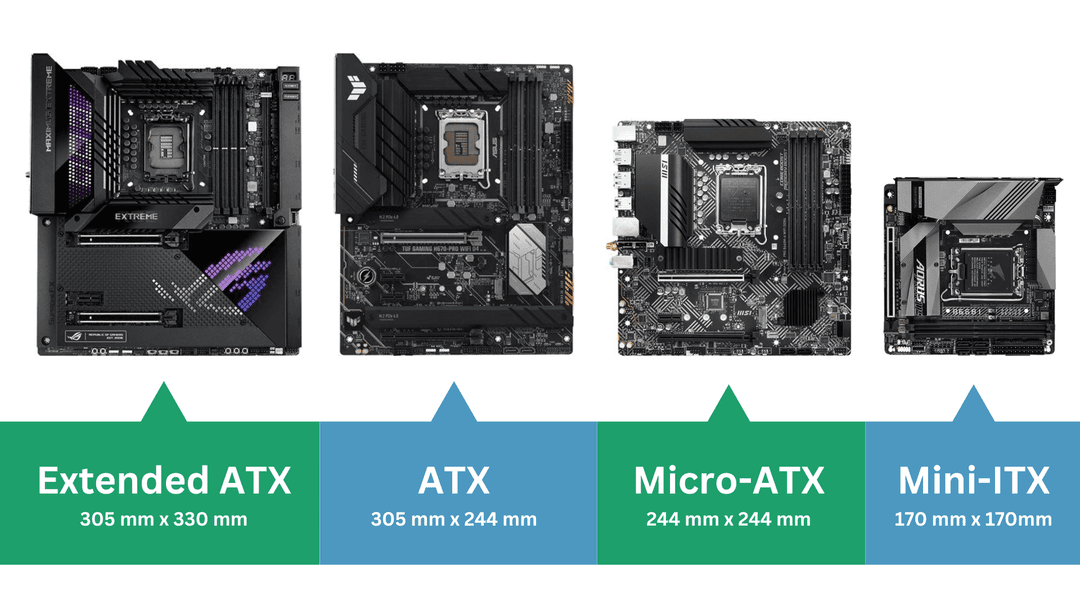
Board size (Form)
-
ATX (Advanced Technology eXtended): To nhất (30.5 x 24.4 cm)
-
Micro-ATX (mATX): 24.4 x 24.4 cm, ít khi PCIe hơn ATC
-
Mini-ITX (mITX): 17 x 17 cm nhỏ nhất, for compact or small form factor (SFF)
CPU
Intel
Core i[3-5-7-9] [Generation] [Suffix]
Suffix
-
(No suffix): Standard desktop processor.
-
K: CPU can be easily overclocked (e.g., i7-14700K).
-
F: No integrated graphics (requires a dedicated graphics card) (e.g., i3-12100F).
-
KF: Unlocked and no integrated graphics.
-
T: Lower TDP (e.g., i7-14700T).
-
U: Laptop, battery save (i3-10110U).
-
Y: Laptop, very low power (i5-10310Y).
-
G[1-7]: Like U, enhanced integrated graphics (Iris Xe).
-
H: Laptops, high performance (e.g., i7-13700H).
Sockets
-
LGA 1700 (Current Mainstream): 12th Gen (Alder Lake), 13th Gen (Raptor Lake), 14th Gen (Raptor Lake Refresh)
-
LGA 1200: 10th Gen (Comet Lake) and 11th Gen (Rocket Lake)
-
LGA 1151 v2 (or "LGA 1151-2"): 8th Gen (Coffee Lake) and 9th Gen (Coffee Lake)
-
LGA 1151 : 6th Gen (Skylake) and 7th Gen (Kaby Lake).
-
LGA 1150: 4th Gen (Haswell) and 5th Gen (Broadwell)
AMD
Ryzen [3-5-7] [Generation] [Suffix]
Generation
- Generation: 3000, 4000, 5000... (Zen, Zen+, Zen 2, Zen 3, Zen 3+, Zen 4...)
Suffix
-
(No suffix): Standard desktop processor (no integrated graphics)
-
G: With integrated graphics
-
X: Higher-performance
-
F(rare): No integrated graphics
Socket
-
AM4: 5000 below
-
AM5: 7000 above
Fan Case
Fan sync
-
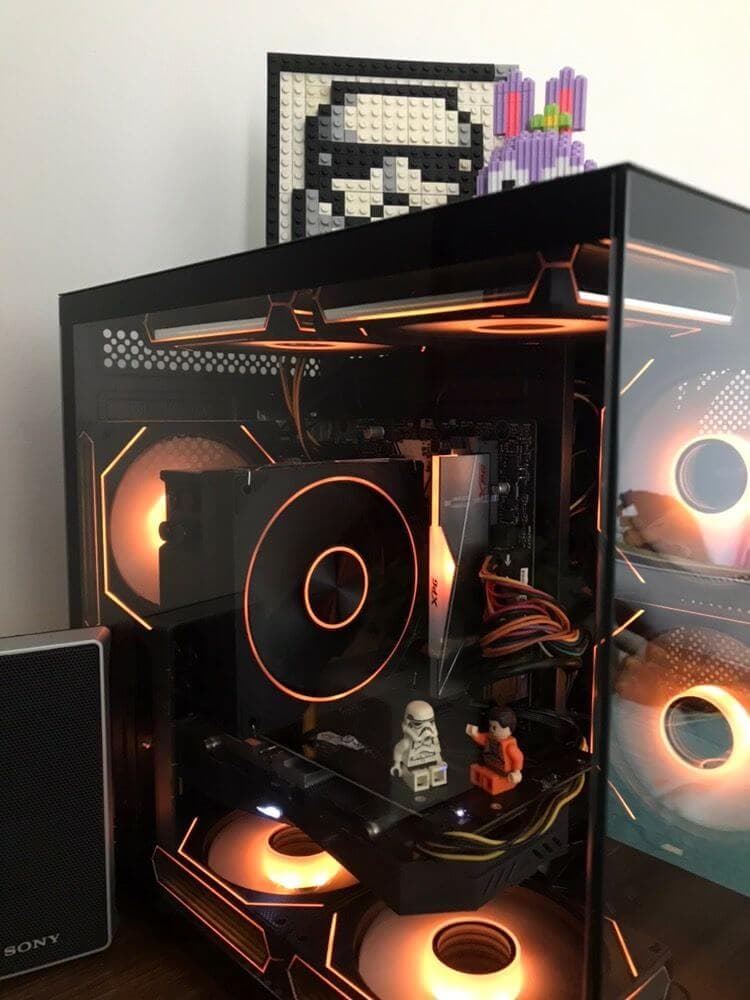
Mortherboard phải có Main Sync
-
Cho phép điều khiên màu của các thình phần tương thích với nhau như quạt, ram, vga thông qua main, tạo ra màu đồng bộ
-
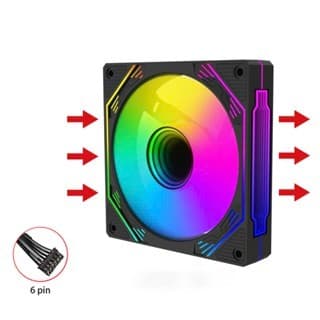
Main phải có socket RGB (4pin - 12v RGB hoặc 3pin 5V Addressable RGB - ARGB)
-
Trong trường hợp cắp nhiều quạt mà main không đủ socket thì cần phải mua thêm hub
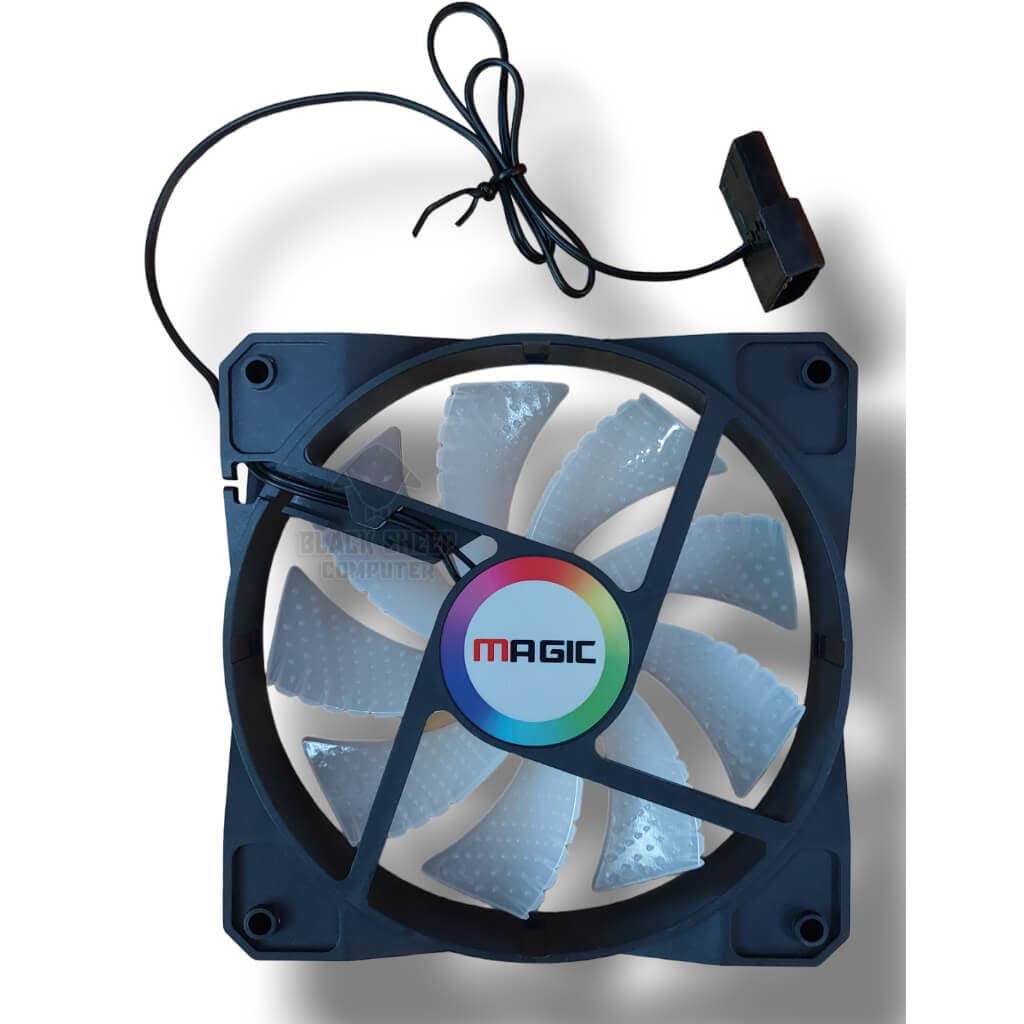
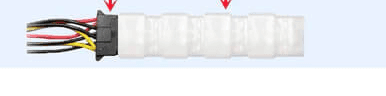
Fan Không Sync (cắm trực tiếp)
Ram
-
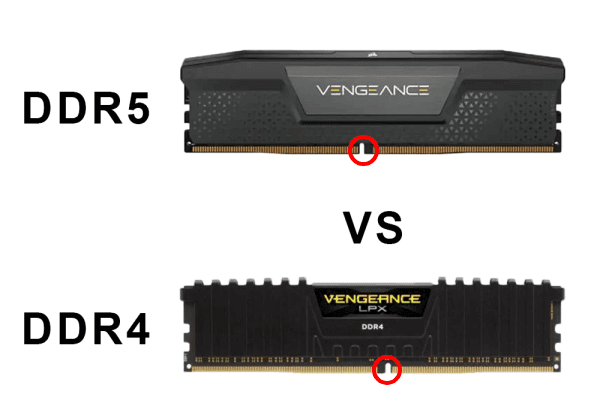
Các chuẩn ram khác nhau (DDR3, DDR4, ...) không dùng chung được cho nhau
-
Ram laptop khác với máy tính bàn
-
Nên mua những hãng Ram có tiếng, thương hiệu lâu đời sẽ ok hơn
Storage
Phân loại theo socket
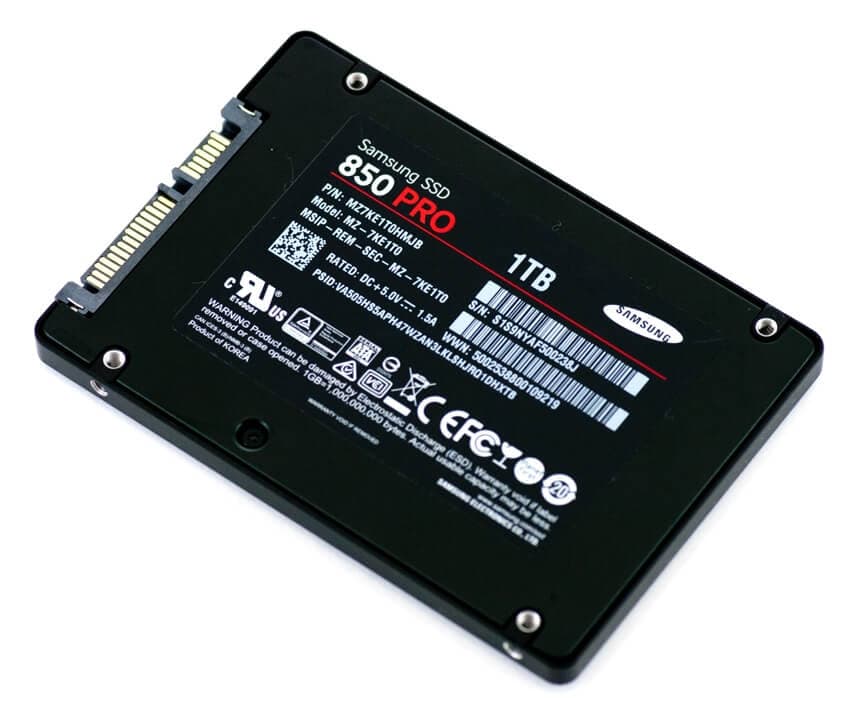
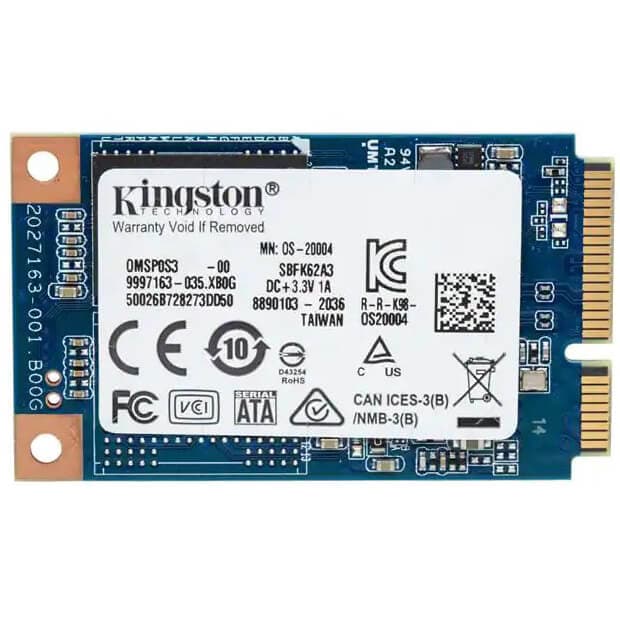
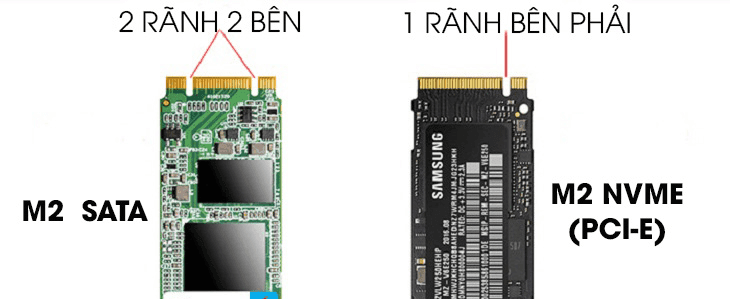
- M2 SSD phân loại theo giao thức kết nối thì chia làm 2 loại là M2 Sata (SATA) và M2 NVME (PCIe), Xem thêm ở mục M2 Slot
Tốc độ theo giao thức
| Read | Write | Socket | |
|---|---|---|---|
| SATA III | Up to 550 MB/s | Up to 500 MB/s | 2.5-inch, M2 Sata (B+M key), mSATA |
| PCIe 3.0 x4 | 2,500 - 3,500 MB/s | 1,500 - 3,000 MB/s | M2 (M key) |
| PCIe 4.0 x4 | 5,000 - 7,000+ MB/s | 4,000 - 7,000+ MB/s | M2 (M key) |
| PCIe 5.0 x4 | 10,000 - 14,000+ MB/s | 10,000 - 14,000+ MB/s | M2 (M key) |
PCIe speed per lane
- PCIe 1.0 (2003): 250 MB/s.
- PCIe 2.0 (2007): 500 MB/s.
- PCIe 3.0 (2010): ~985 MB/s (approximately 1 GB/s).
- PCIe 4.0 (2017): ~1.97 GB/s.
- PCIe 5.0 (2019): ~3.94 GB/s.
SATA Operations
AHCI
- Advance Host Controller Interface: The most use of modern pc
RAID
- Redundant Array of Independent Disks: Combine multiple drives into a single unit for improved performance, redundancy, or both.
| Feature | RAID 0 (Striping) | RAID 1 (Mirroring) | RAID 5 (Striping with Parity) |
|---|---|---|---|
| Minimum Drives | 2 | 2 | 3 |
| Data Redundancy | None | Full Redundancy (mirrored copy) | Single-drive redundancy (distributed parity) |
| Data Protection | If any one drive fails, all data is lost. | Can withstand the failure of one drive. | Can withstand the failure of one drive. |
| Performance | Improve read and write speeds scales with the number of drives. | Improve read speed, write speed acts as a single drive or slightly slower. | Improve read speed. Write speed is slower due to parity calculations. |
| Usable Capacity | 100% of total drive capacity (sum of all drives). | 50% of total drive capacity. | (n-1) drives, where 'n' is the total number of drives. |
| Best Use Case | Situations where speed is the only priority and data loss is not a concern, such as video editing scratch disks or gaming. | Mission-critical data where high availability and reliability are paramount, like for operating systems or accounting systems. | General-purpose servers and applications that need a balance of performance, capacity, and data protection. |
Intel Optane
-
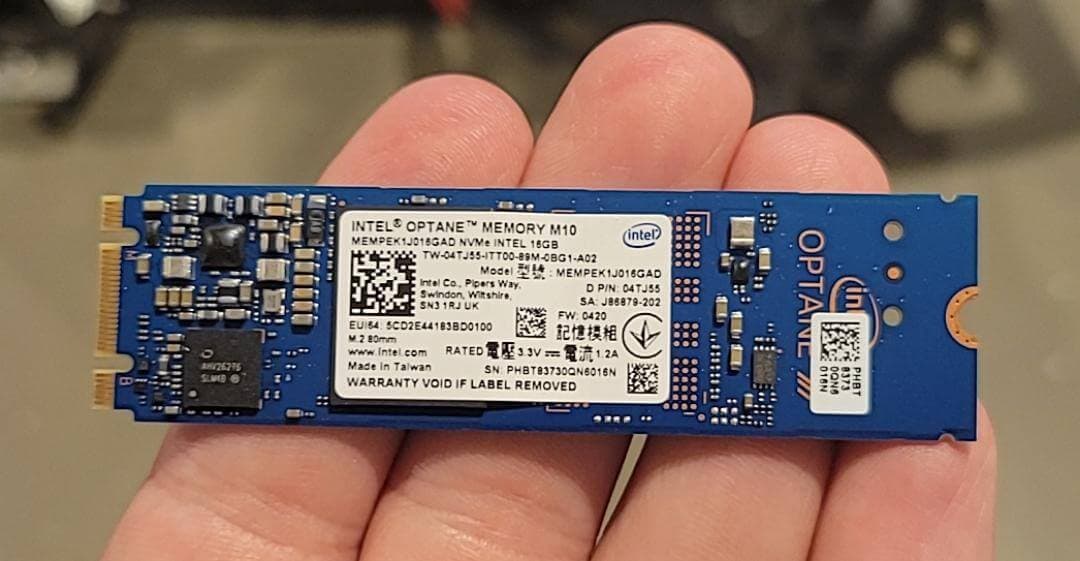
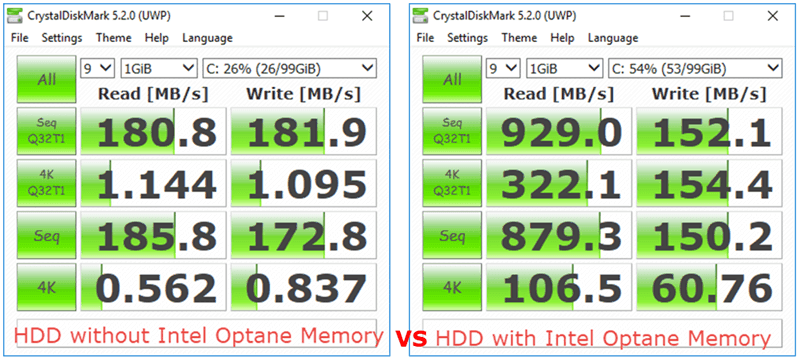
Intel Optance acts as a high-speed cache between a computer's processor and slower storage devices like hard drives (HDDs) or solid-state drives (SSDs
-
Use for accelerating a single drive
-
Require 7th gen or newer
-
All modern SATA and NVMe SSDs use 3D NAND flash memory technology, Intel Optane use special technology called 3D Xpoint, achieve higher speed
Intel RST
- Is the software that provides the drivers and management tools for both Optane memory and RAID configurations.
Slots
Sata
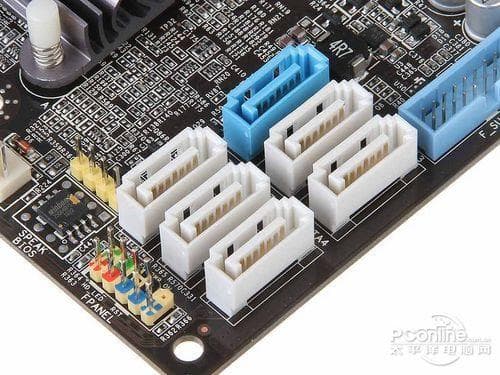
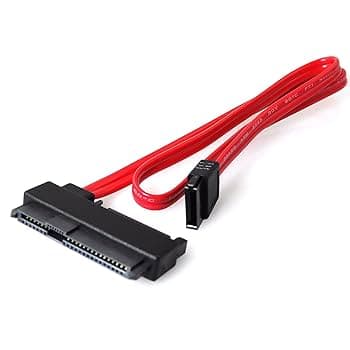
MiniPCIe, MSata
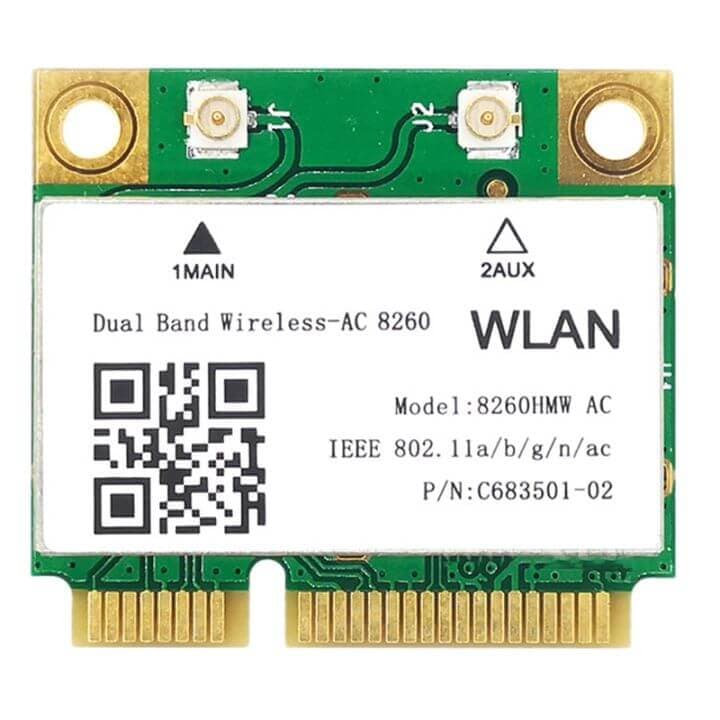
- Dùng chung socket nhưng không thay thế cho nhau
mPCIe
- Use PCIe interface (x1), used for expansion cards like Wi-Fi or Bluetooth
MSata
- Use SATA interface, used for storage
M2
M.2 ("M-dot-2") tên gọi trước đó là Next Generation Form Factor (NGFF)
B, M Keys
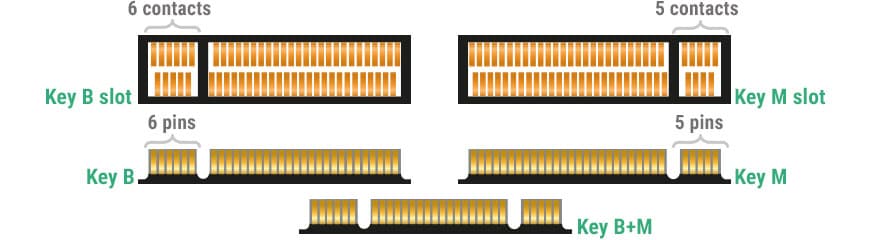
-
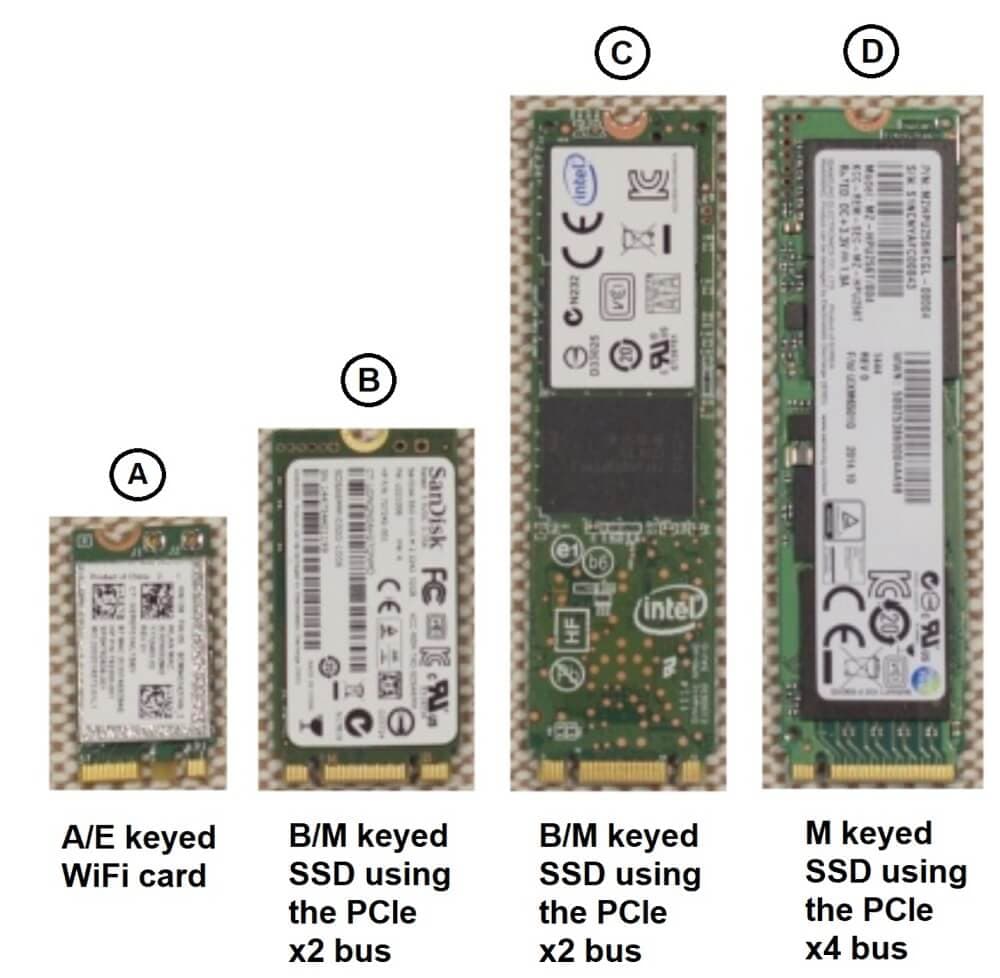
M Key (PCIe x4): NVMe SSDs
-
B Key (PCIe x2): Used for SATA, SSDs WWAN (Wireless Wide Area Network)
-
B + M Key (PCIe x2 - Module only): Thiết kế để cắm module vào B key hoặc M key điều được
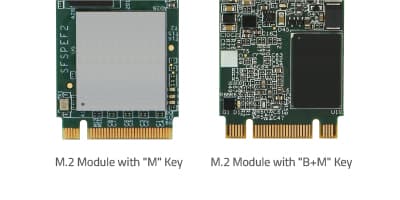
- Trên thị truờng cũng có Ssd NVME dùng B+M key nhưng ít, tốc độ sẽ chậm hơn do B key chỉ có 2 lanes PCIe nhưng bù lại là tăng khả năng tăng thích nhiều slot m2 hơn
A, E Keys
-
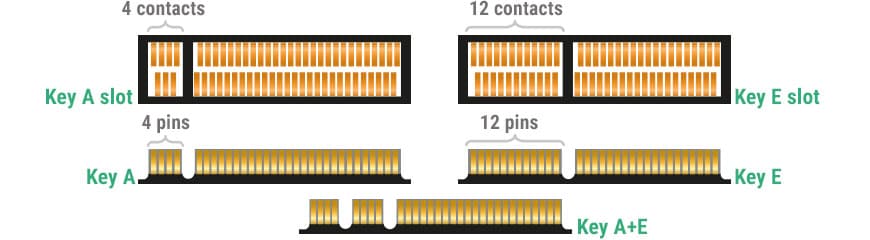
A Key (PCIe x2): Used for Wi-Fi, Bluetooth, WWAN, GPS, and NFC cards.
-
E Key (PCIe x2): Often used for Wi-Fi, Bluetooth
-
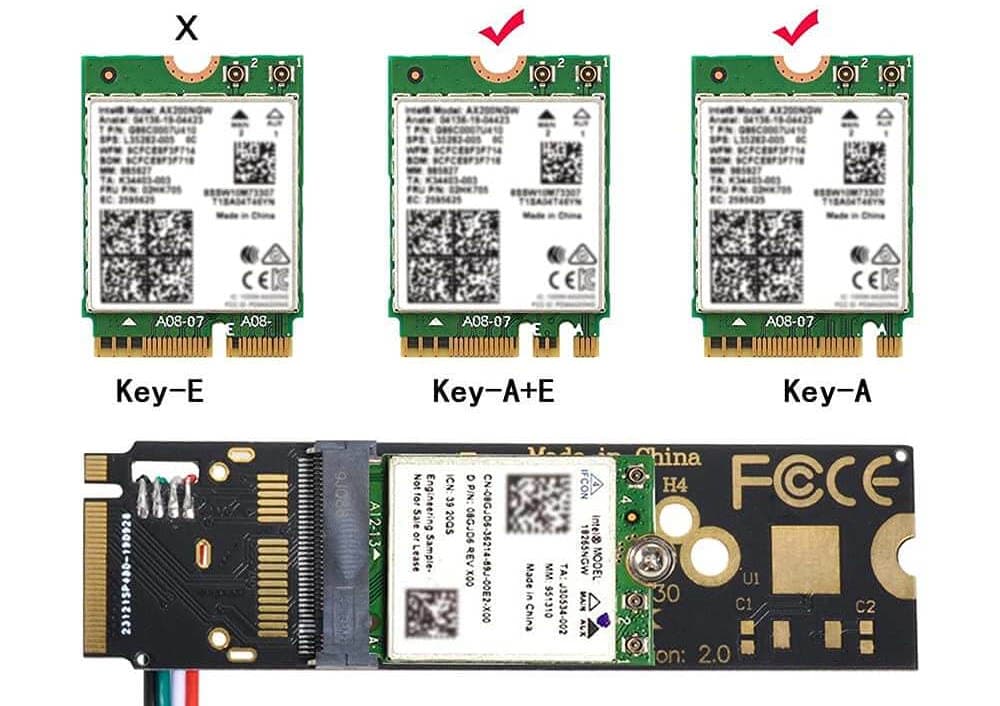
A + E Key (Module only): Thiết kế để cắm module vào socket A key hoặc E key điều được, thường là các card Wi-Fi tích hợp Bluetooth.
-
Nếu là card chuyen sang M2 A key thì gắn được card wifi A, A+E
-
Nếu là card chuyen sang M2 E key thì gắn gắn được card wifi E, A+E
Power Supply
-
Trái tim của máy tính, càng xịn càng tốt
-
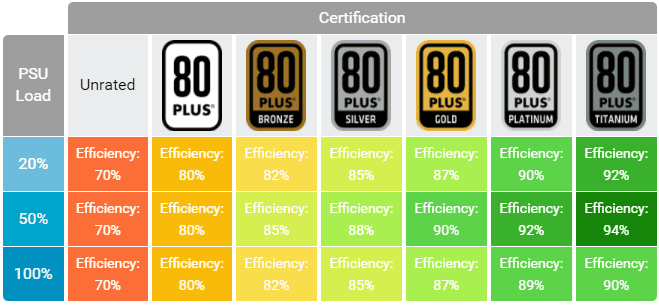
Tiêu chuẩn 80 Plus, cấp càng cao hiệu quả chuyển đồi điện AC sang DC càng cao, càng tiếp kiệm điện
Make with by Nguyen Huu Dat
© 2025